USA high-intent model guide
HP LaserJet M234sdw Offline or Wi-Fi Not Working? Check the Network
For an HP LaserJet M234sdw that appears Offline, first check whether the printer is actually still on Wi-Fi. A successful phone or Ethernet test narrows the fault to the affected computer's queue, saved address or wireless discovery path.
Technical verification
Evidence behind this model guide
Model-specific facts are sourced below. This page does not turn documentation review into a fake hands-on test claim.
Direct answer
What this usually means
If the M234sdw is Offline on one computer but works from another device or Ethernet, focus on the stale wireless queue or saved address rather than resetting everything.
Most likely causes
- Printer and computer are on different or isolated networks
- Router name or password changed
- The printer received a new IP address
- A stale queue still points at an old network path
Safe fix order
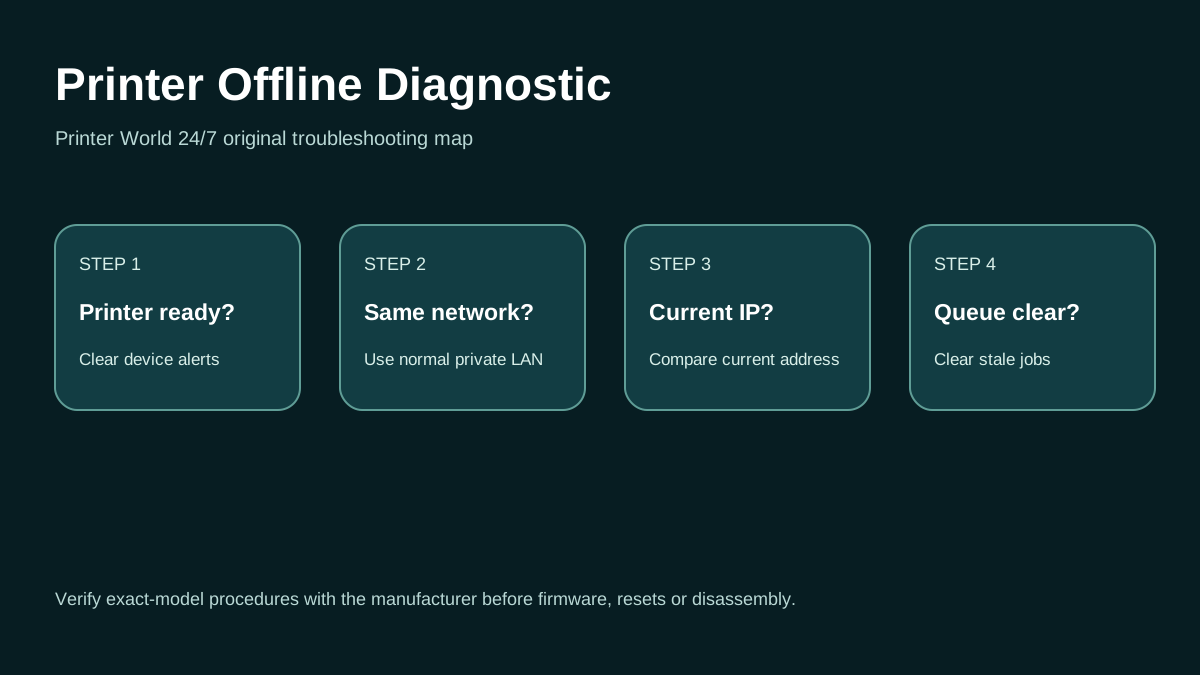
- Check the printer wireless/network status without resetting it.
- Confirm the computer or phone and printer use the same normal LAN, not guest Wi-Fi.
- Print or view the printer network report when the model supports it and note the current address.
- Restart the printer and client device before changing router settings.
- Use the exact manufacturer setup workflow if the printer must be rejoined to Wi-Fi.
Verified model facts
What matters for this exact model
Symptom-based diagnosis
Match what you see before changing settings
| Symptom | What it suggests | Next test |
|---|---|---|
| Wi-Fi fails but Ethernet prints | The printer engine and computer print path can work; Wi-Fi is the differentiator. | Troubleshoot wireless SSID, reachability and the saved wireless printer entry instead of reinstalling all printing software. |
| Printer is online for phone but Offline on one PC | The printer/network path is likely alive; that PC may have a stale queue. | Check the PC's saved printer entry and current printer address. |
| Printer disappears from every device | The fault is more likely printer/network-side. | Check the printer network status and recent router or password changes before editing Windows settings. |
Model-specific context
Why the LaserJet MFP M234sdw path matters
HP provides model-specific diagnostics, manuals, toner and setup resources for the LaserJet MFP M234sdw.
Do not assume instructions for a similarly named model are interchangeable. Confirm the full model before drivers, firmware, supplies or resets.
OS / connection context
Wi-Fi / network
This page targets offline or Wi-Fi on Wi-Fi / network. The printer itself should be checked for a physical or consumable alert before software changes are made.
Printer Offline: 3 Safe Checks
A short original walkthrough of printer status, local network and print-queue checks before driver reinstallation.
Official sources
Use these sources to verify model-specific procedures, current drivers and platform behavior.
Frequently asked questions
LaserJet MFP M234sdw troubleshooting questions
Why is my HP M234sdw offline on only one computer?
A single-computer failure often points to that computer's saved queue, port or discovery state rather than the printer itself.
Can Ethernet help test an M234sdw Wi-Fi issue?
Yes. A successful Ethernet print is strong evidence that the printer and client print path work while Wi-Fi requires separate troubleshooting.
Should I reset the router because the M234sdw is offline?
Not first. Confirm whether other devices can reach the printer and record its current network status before making router-wide changes.
Related routes for this exact problem
Need support with this exact LaserJet MFP M234sdw issue?
The support form can carry this page context into the request.
Start contextual support